New Features #
🗺️ Map Configurations #
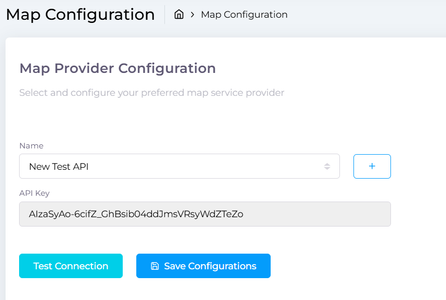
A new Map Configuration section has been introduced to provide flexible management of map service providers within the system.
🔧 Key Capabilities #
- Configure Map Providers
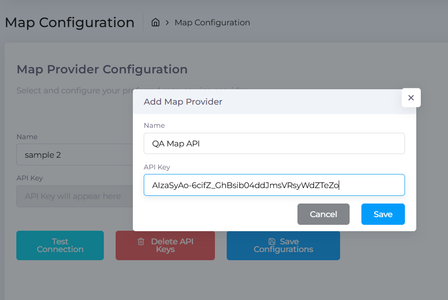
Users can add new map service providers by entering:- Provider Name
- API Key
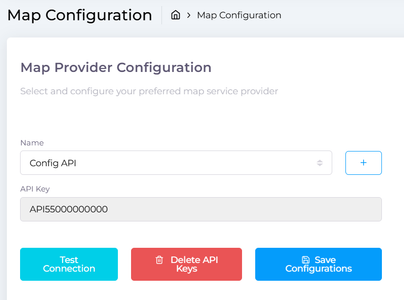
- 🔌 Test Connection
A built-in Test Connection option allows users to instantly verify whether the API key is valid and working before saving the configuration. - 📂 Manage Multiple Configurations
The system now supports saving and managing multiple map configurations, enabling easy switching or management of different map services. - 🛡️ Data Integrity Protection
- Prevents duplicate API connections
- Prevents duplicate configuration names
- Ensures cleaner and more reliable configuration data.
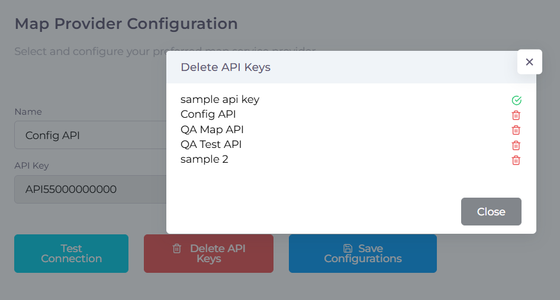
- 🗑️ Configuration Management
- View all saved map configurations in a centralized list
- Delete configurations that are no longer required
This enhancement improves system flexibility and integration capability with external map services.
👤 Custom Profile Pictures #
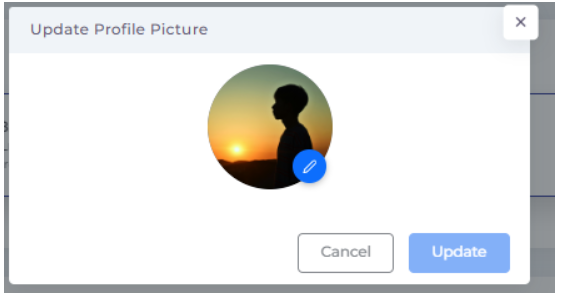
Users can now personalize their accounts by uploading custom profile pictures.
📷 How It Works #
- Click the User Icon
- Click the Camera Icon
- Upload and update your profile picture
✨ Where It Appears #
Once uploaded, the profile picture will automatically appear across the system, including:
- 📜 Order History Logs
- 🧾 Action Tracking Records
- 👤 User Profile Displays
The uploaded image will replace the default avatar, improving user identification and activity tracking throughout the system.