We are excited to announce the latest update to the Curfox Rider App, our comprehensive delivery management solution built to streamline last-mile delivery operations. This release introduces a refined user experience along with enhanced financial tracking and cash management capabilities for riders.
1. 🚀 Getting Started & Installation #
- Availability
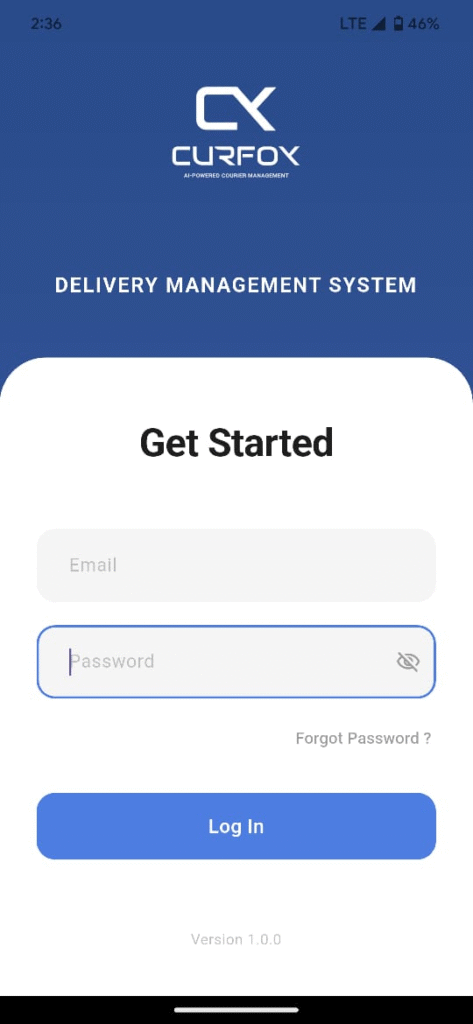
The app can be installed using the provided APK or downloaded directly from the Google Play Store or Apple App Store. - Login Credentials
Riders must log in using their registered Email and Password. - Password Management
Rider passwords must be configured through the Curfox staff portal (User Management > Staff > Users > Riders). - Security Requirement
For improved mobile security, passwords must be at least 6 characters long and may include letters or numbers.
2. 👤 Role Selection #
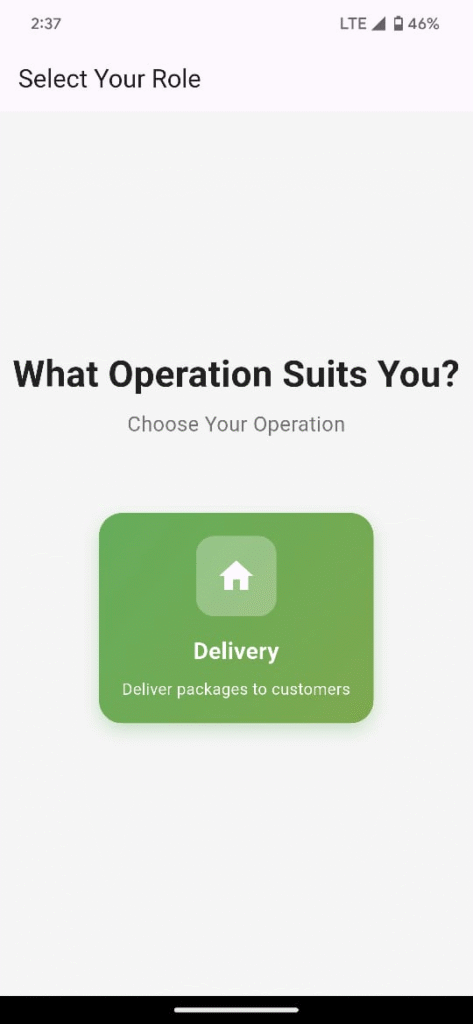
- Current Support
The app currently supports the Delivery role, focused on parcel delivery to customers. - Future Roadmap
Upcoming releases will introduce additional operational roles, including:- Pickup
- Middle Mile
- Other delivery workflows
3. 📊 Home Dashboard (Summary View) #
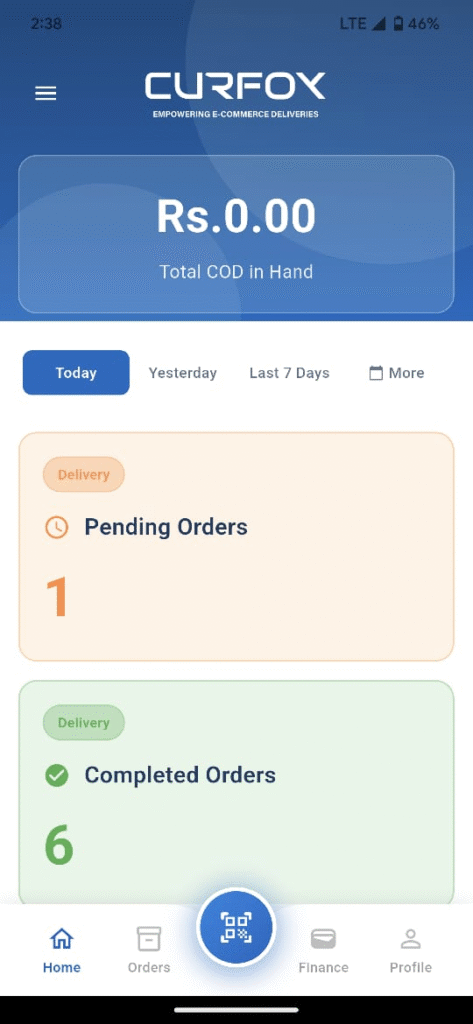
The Home screen provides a real-time overview of the rider’s daily performance:
- Total COD in Hand
Displays the total cash collected but not yet deposited. - Order Counters
- Pending Orders (assigned for delivery)
- Completed Orders
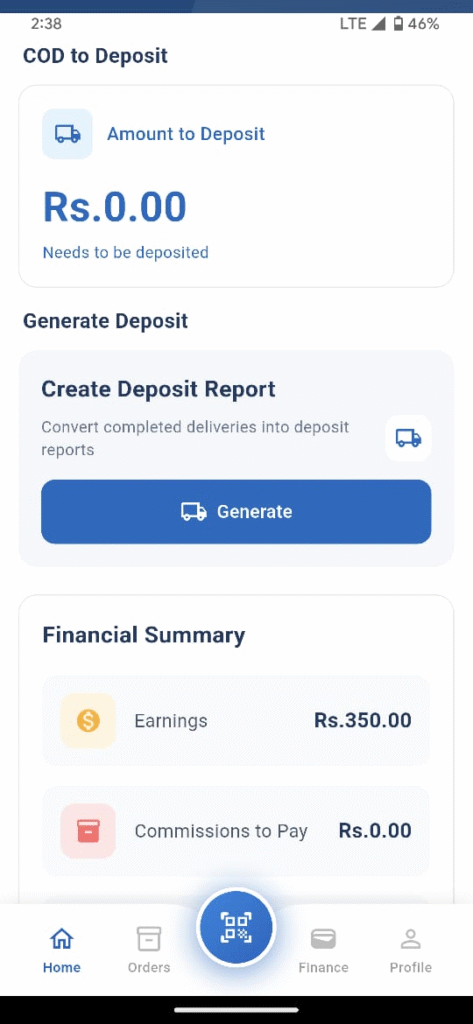
- COD to Deposit
Shows the exact amount that must be submitted to the branch. - Financial Summary
- Earnings
- Commissions to Pay
- Commissions Received
- Date Filters
View data for:- Today (Default)
- Yesterday
- Last 7 Days
- Last 30 Days
- Current Month
4. 📦 Order Management #
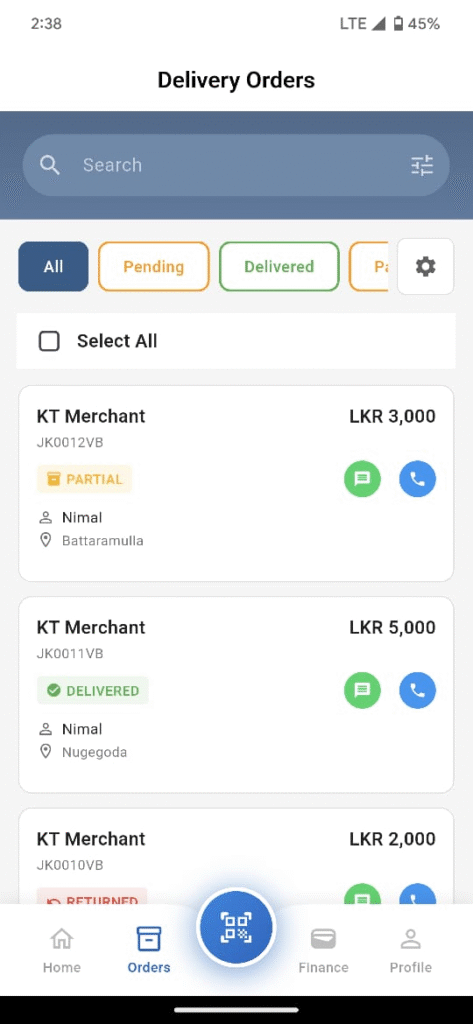
The Orders section enables efficient workload management:
- Status Tabs
- All
- Pending
- Delivered
- Partially Delivered
- Returned (Return to Destination warehouse)
- Order Details
- Customer Name
- Merchant name
- COD
- Weight
- Phone Number
- Delivery Address
- Waybill Number
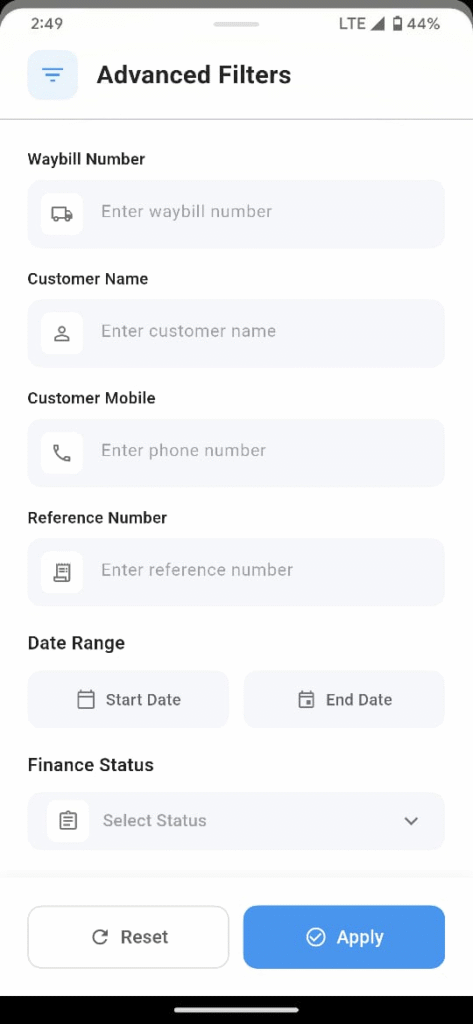
- Advanced Filtering
Search orders by:- Waybill Number
- Customer Name
- Phone Number
- Reference Number
- Date Range
5. 🔄 Updating Order Status #
Riders can update delivery statuses directly within the app:
- Delivered
- Customer signature Optional
- Optional remarks
- Partially Delivered
- Enter the collected COD amount
- Reason required
- Customer signature Optional
- Returned
- Select return reason
- Signature optional
- Quick Actions
- Call
- SMS
- WhatsApp
(Direct communication with customers)
6. 📷 Integrated Scanning Feature #
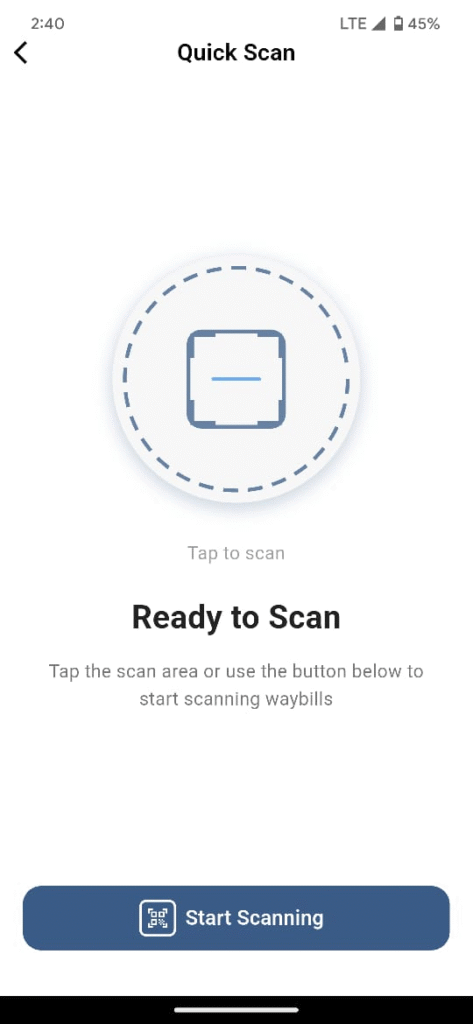
- QR / Barcode Scanner
- Located at the center of the bottom navigation bar
- Scan a waybill to instantly load order details
- Update order status without manual searching
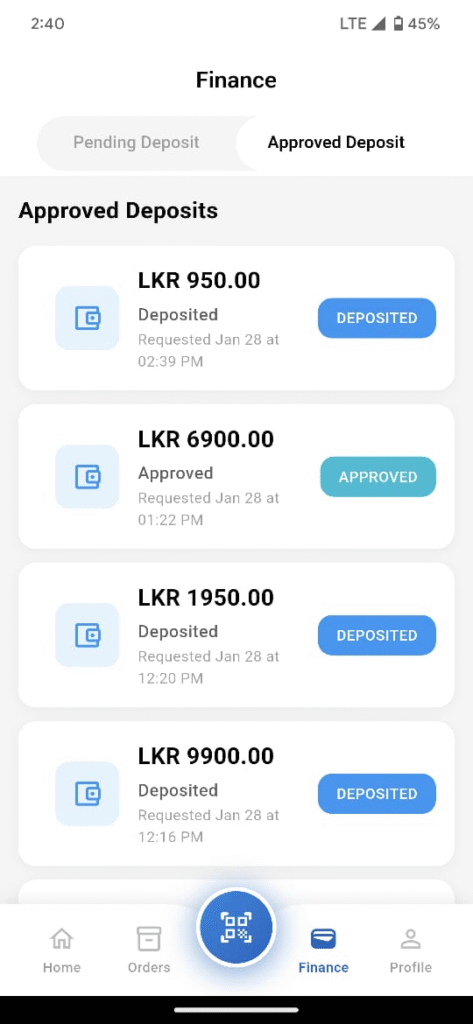
7. 💰 Finance & Cash Management #
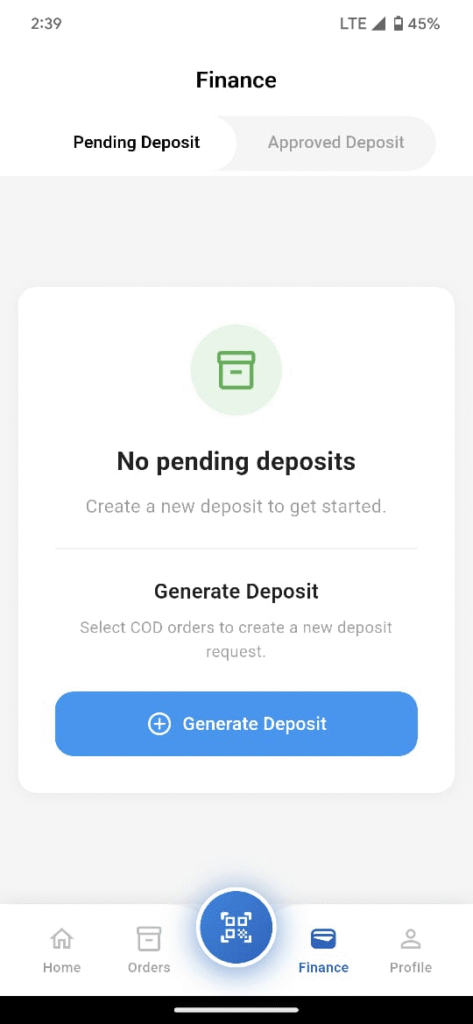
This release introduces a powerful cash handling workflow:
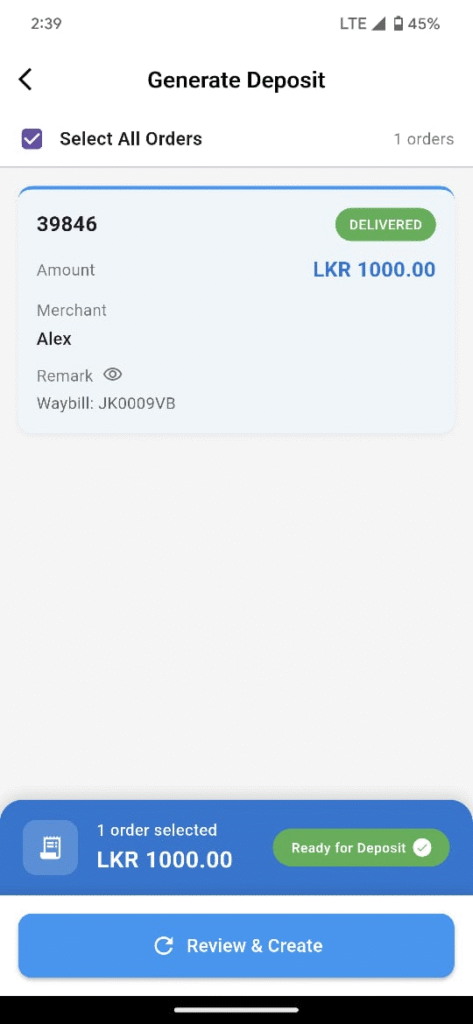
- Generate Deposit
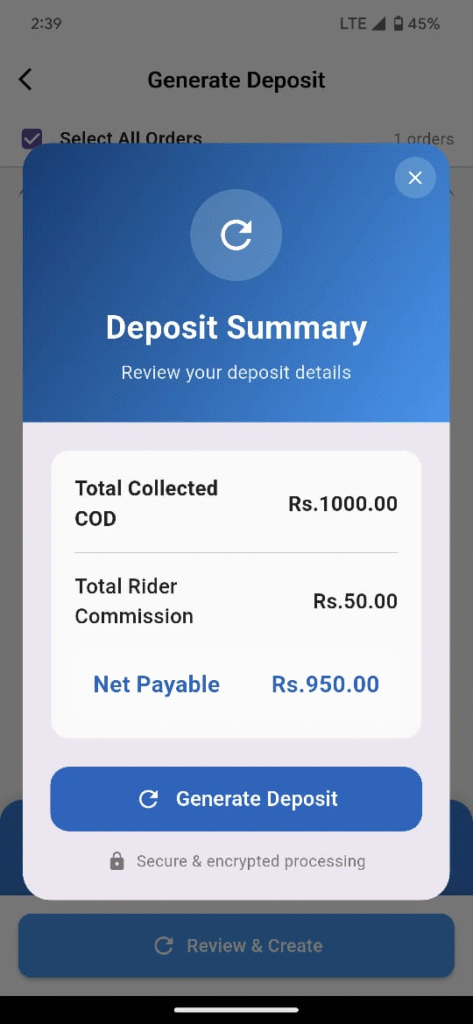
Select completed orders to create a deposit request. - Automatic Calculation
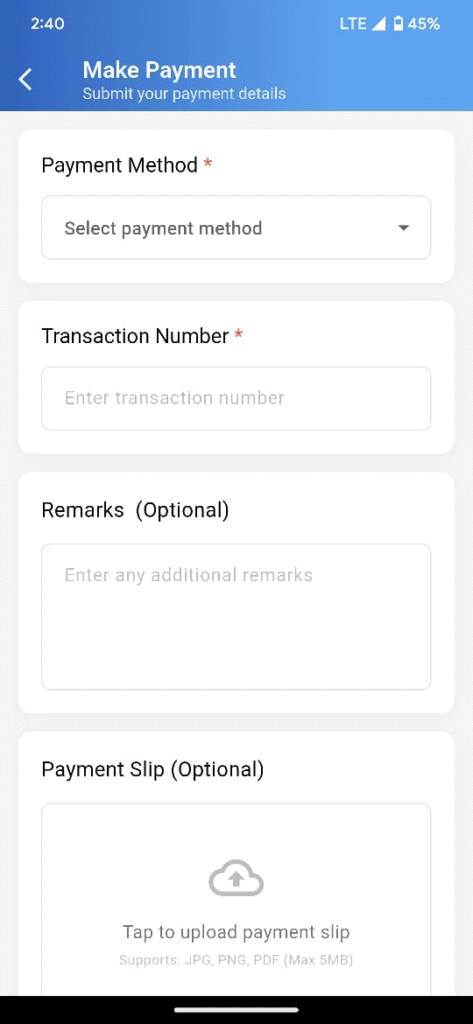
Net Payable = Total COD – Rider Commission - Make Payment
Submit payment proof using:- Bank Transfer
- Mobile Banking
- Card
- Digital Wallet
- Transaction Tracking
- Enter transaction reference numbers
- Upload payment slip images
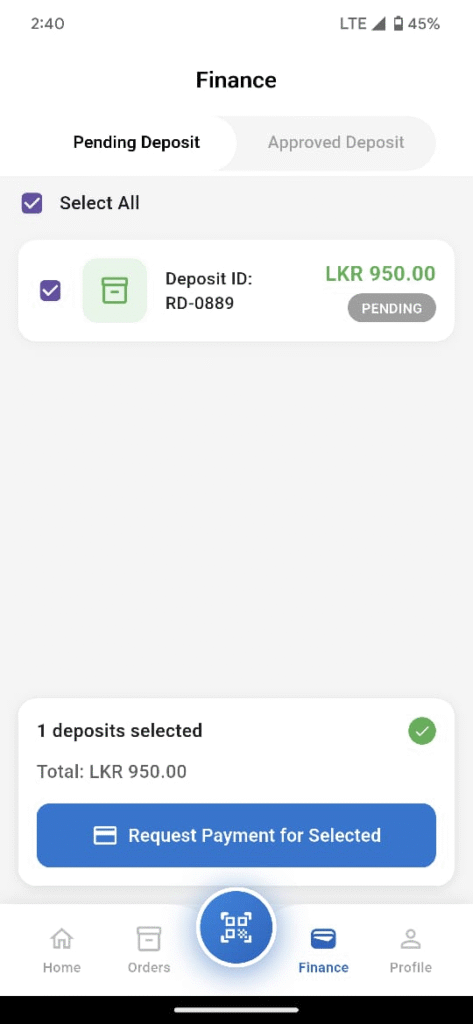
- Approval Workflow
- Deposit is reviewed and approved via the web dashboard
- Once approved:
- Status updates to Approved
- COD in Hand resets to zero
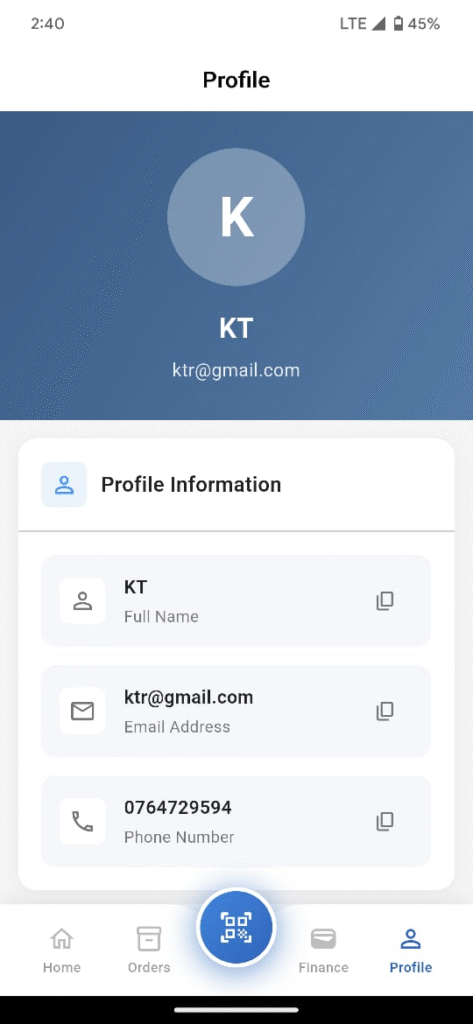
8. 👤 Profile & Warehouse Information #
- Rider Profile
- Full Name
- Phone Number
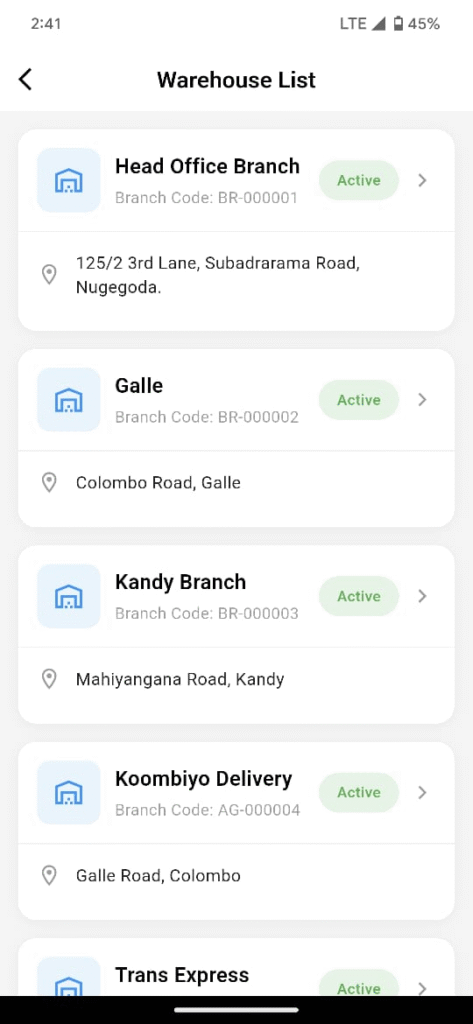
- Assigned Warehouses
- View all linked warehouses and branches
- Active status
- Location details
#
🔔 Important Note (Action Required) #
Before logging into the new version, all riders must update their passwords via the web dashboard to meet the new 6-character minimum security requirement.


