🖥️ 1. Staff Dashboard Modification #
New Staff & Warehouse Dashboard Design
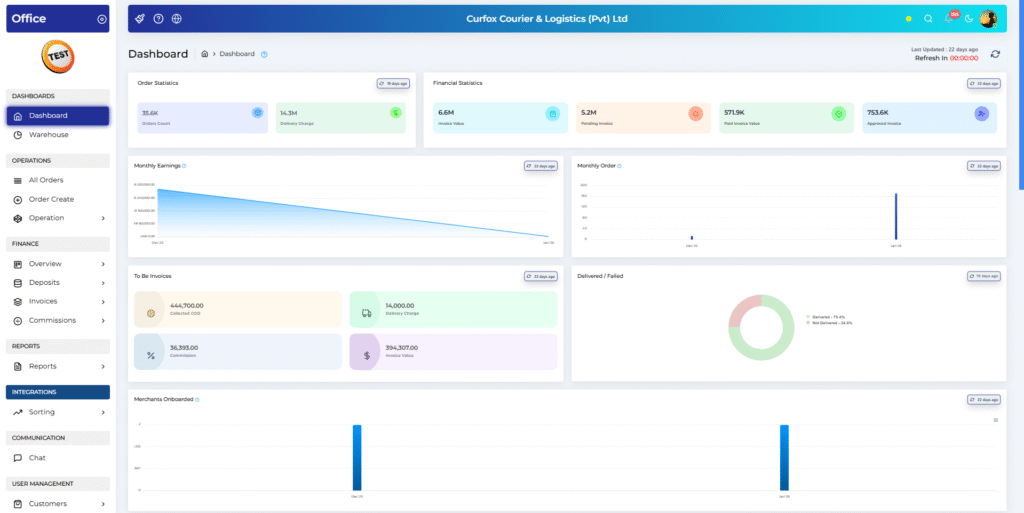
🎨 The Staff Portal Dashboard has received a complete visual refresh.
- Modern color palette for a cleaner, more professional look
- Improved layout and styling for better readability
- Applied consistently across:
- Main Staff Dashboard
- Individual Warehouse Dashboards
✅ Result: A more intuitive and visually engaging dashboard experience.
📊 2. All Orders Excel Report – Table Enhancement #
“All Orders” Excel Report Streamlining
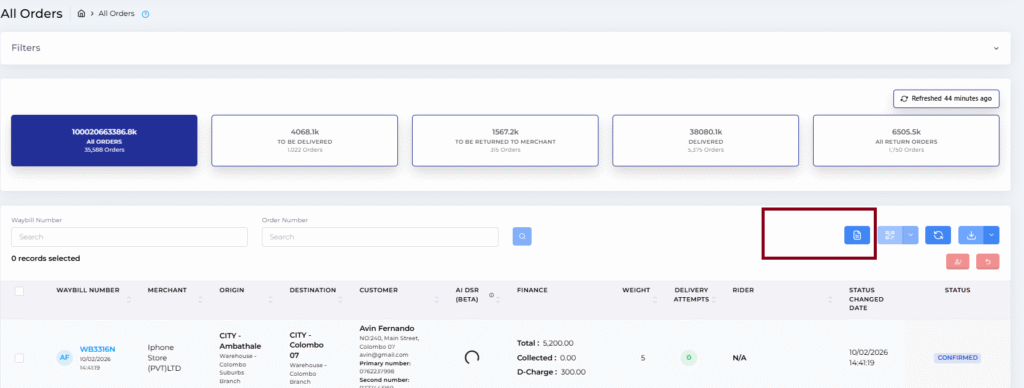
⚡ Direct Access Shortcut
- A new Excel icon is now available directly on the All Orders table header
- One click instantly triggers “Excel All” report generation
- No need to navigate through the Reports menu anymore
🔄 Auto-Redirection
- Once the request is submitted, users are automatically redirected to the Report Download page
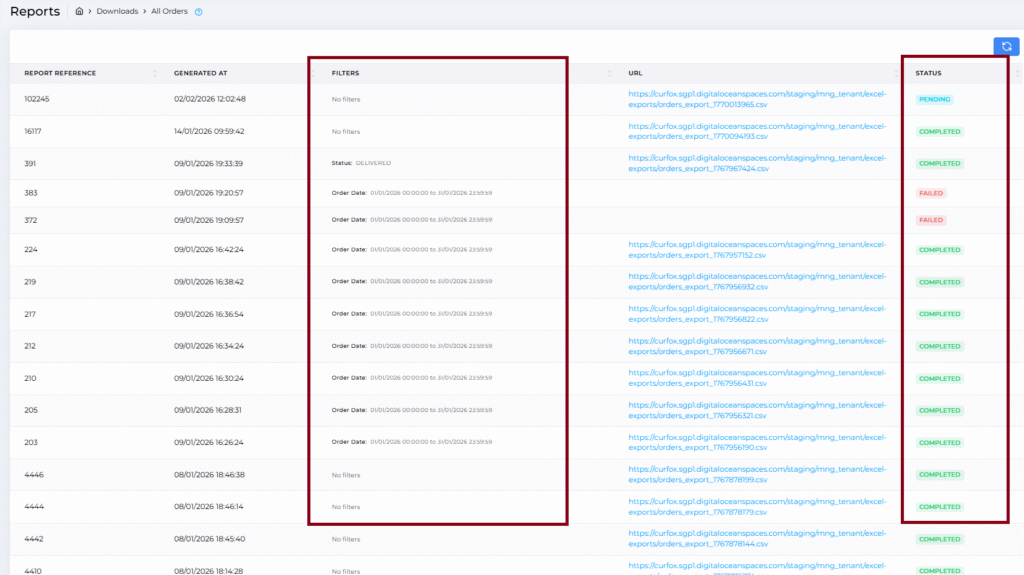
📋 Report History Table Improvements
🧩 New “Filters” Column
- Clearly displays applied filters such as:
- Date
- City
- Merchant
- Status
📌 New “Status” Column
- Real-time visibility of report progress:
- ⏳ Pending – Report is processing
- ✅ Completed – Ready to download
- ❌ Failed – Generation failed (helps troubleshooting)
📦 3. Sorting Operation Improvements #
Automated Dispatch Button & Smart Auto-Fill
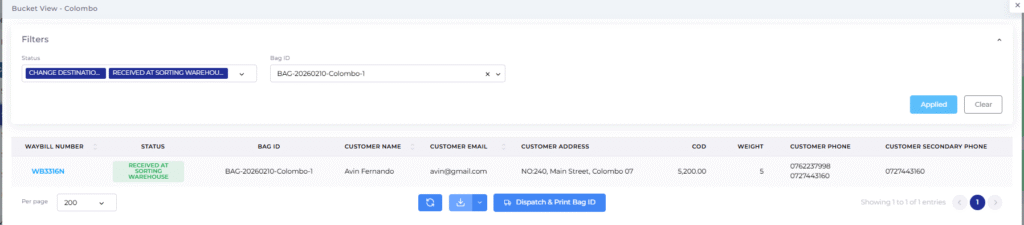
🚀 To speed up sorting operations, the system now automatically prepares dispatch details when a bucket/bag is selected.
What happens automatically?
- Status 1: Change Destination
- Status 2: Received at Sorting Warehouse
- Bag ID: Auto-fetches the current active Bag ID for the selected bucket (e.g., Colombo)
🎯 Benefit
- Less manual filtering
- Faster dispatch & bag printing
- Reduced human errors during sorting
🔍 4. Display Scanned Waybill Number on Sorting Screen #
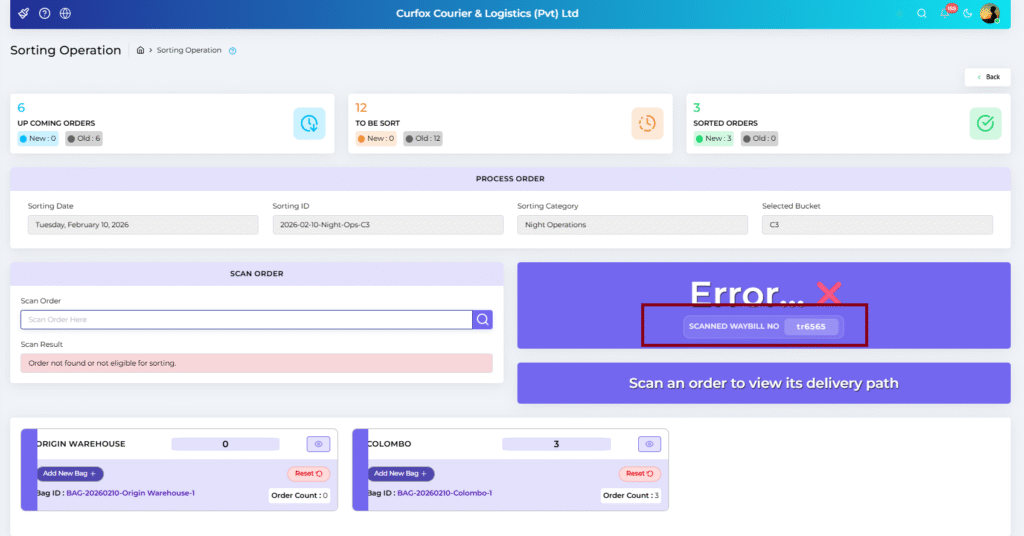
Enhanced Scanning Error Diagnostics
🛠️ Fixed issues where some barcode scanners (e.g., Lion scanners) read only partial codes (e.g., RA02 instead of RA025).
🆕 Improved Error Message
- Instead of a generic error, the system now shows:
- “Scanned ID: RA02”
✅ This helps staff quickly identify:
- Hardware scanning issues
- Incorrect barcode prints
- Actual system errors
📸 5. OCR – Phase 2 (Image Scan Upload) #
OCR Is Back — Smarter & More Accurate
🤖 OCR (Optical Character Recognition) has been re-launched with significantly improved accuracy for both handwritten and printed waybills.
How to Enable
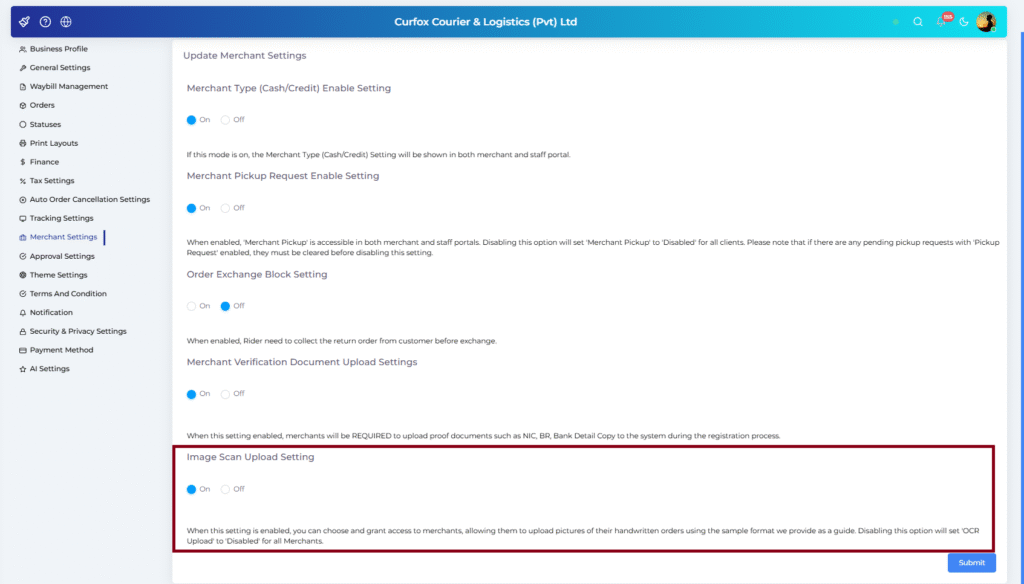
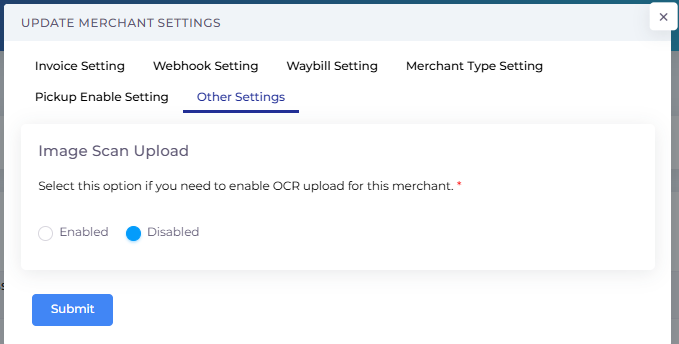
- Go to Staff Portal → Merchant Settings
- Open Other Settings
- Toggle “Image Scan Upload” to ON for the merchant
How It Works
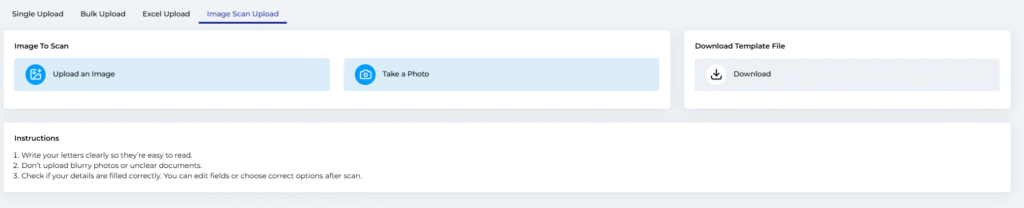
- A new “Image Scan Upload” tab appears in Order Create
- Upload an image or take a photo of a physical slip
- Should use the provided template
- You can download it by clicking the download template file
- Download and fill it, take a photo
- Click Upload & Scan
✨ The system automatically extracts:
- Customer Name
- Address
- COD Amount
- And more…
🧾 6. Proof Upload Feature #
Order Proof Image Support
📌 Supported Formats
- JPG, PNG, WEBP
- Max file size: 5MB
- Max 4 images per order
📍 Eligible Statuses
- Picked up from Merchant
- Delivered by Pickup Rider
- Delivered
- Partially Delivered
- Return to Destination Warehouse
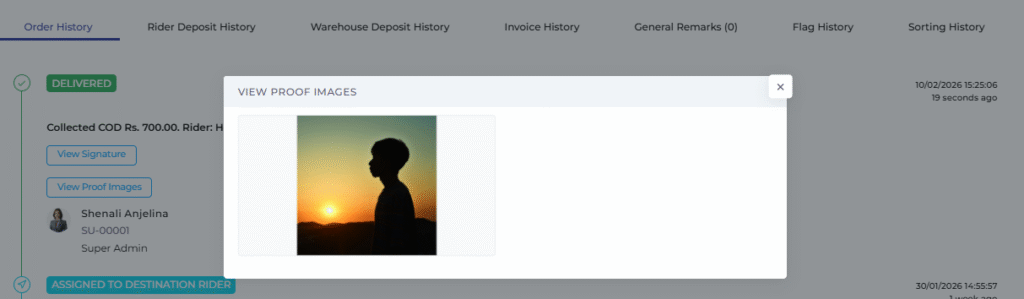
🖼️ Proof Images Handling
- Images uploaded are stored as Proof Images
- Viewable in Order Details Modal via “View Proof Images” button under relevant statuses
ℹ️ This feature is optional (not mandatory).

👤 7. User Profile Customization #
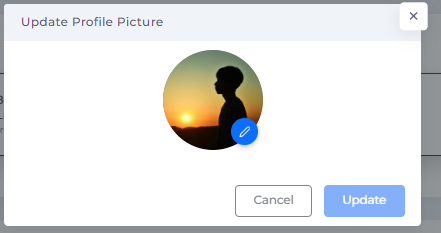
Custom Profile Pictures
📷 Users can now upload their own profile pictures:
- Click the User Icon
- Click the Camera Icon
- Upload & Update
✨ The updated profile picture will appear system-wide, including:
- Order History logs
- Action tracking
Replacing the default avatar for that user.
🛠️ 8. Bug Fix – Reschedule Data Duplication #
🐞 Fixed an issue where:
- Reschedule Reason
- Rescheduled Date
- Reschedule Attempts
were being duplicated.
✅ Data now displays correctly and consistently.


