Improvemnts #
- 🚀 Apply Queued Report Download option for Invoice Table
Exporting large Merchant Invoice reports used to require waiting on the page while the file was prepared. This update introduces background (queued) processing for invoice exports.
How it works now
• When you request an invoice export, the system queues it and processes it in the background.
• You can continue using the platform normally while the report is being prepared.
• Once the file is ready, it becomes available for download.
2. ✨ CRM system Version 2 – Dashboard
The CRM Version 2 Dashboard has been completed and released. This represents a significant upgrade to the customer relationship management experience within the platform.
What’s new in the dashboard
• Cleaner, more organized layout that makes key information easier to find.
• Improved data visibility — important metrics are surfaced more prominently.
• Enhanced usability with a smoother, more intuitive interface.
Teams using CRM will have a better day-to-day experience managing merchant relationships. The new dashboard is designed to reduce friction and help your team work more efficiently.
3.🔧 Fixing Issues in My Order Section
A filtering issue was found in the My Orders section were selecting a tile (e.g., a status filter) after already applying other filters caused the data to display incorrectly or show unexpected results.
What was fixed
• Tile selections and active filters now work together correctly.
• Data displayed after combining filters is accurate and consistent with what is actually in the system.
Now Users can freely apply multiple filters in the My Orders section without worrying about incorrect results. The data that are visible will always reflect the actual state of orders.
Bug Fixes #
- 🔧 Fixing issues in merchant invoice settings
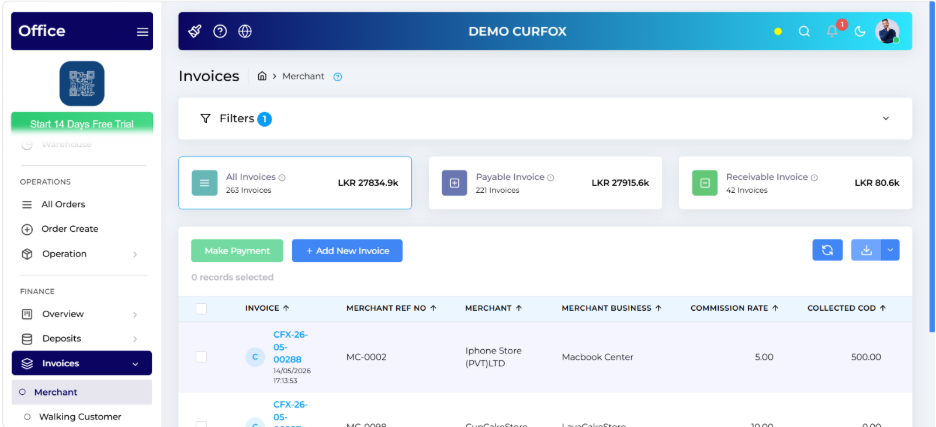
We identified and resolved several issues in the Merchant Invoice Settings area of the system. These issues could cause billing configurations to behave unexpectedly or fail to save correctly.
What was fixed
• Invoice settings now save and apply correctly without errors.
• The system handles configuration changes more reliably, reducing the chance of incorrect billing setups.
Invoice settings will behave consistently. Previously noticed any unusual behavior when configuring merchant invoices, has been resolved.
2. 🔧 Bug fixing in CRM version 1
What was fixed
• Performance issues that caused slow loading in certain CRM views.
• Data inconsistencies where some records were not displaying as expected.
• Minor interface issues that affected the overall user experience.
CRM Version 1 should feel more stable, load faster, and display information accurately. Users who experienced glitches or inconsistencies should notice a clear improvement.
3. 🔧 Bug fixing of Merchant Invoice Report
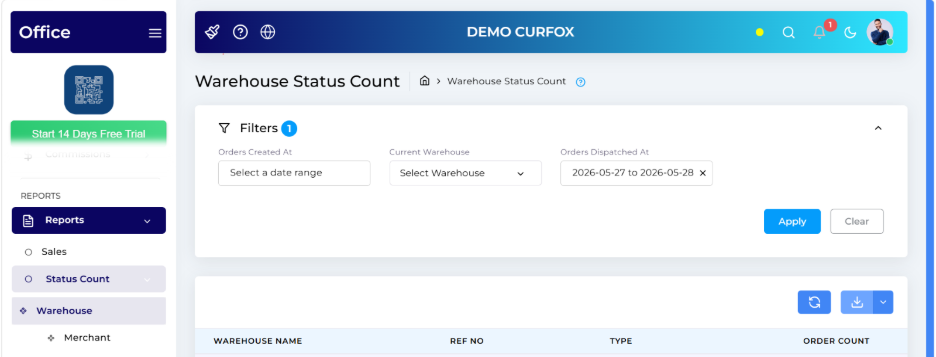
A specific issue was found in the Merchant Invoice Report where the Status column was missing from downloaded report files, even though it appeared correctly on screen.
What was fixed
• The Status column now appears correctly in all downloaded versions of the Merchant Invoice Report.
When export or download the Merchant Invoice Report, now it appears the complete data — including the Status column — exactly as it appears on screen.
Hotfix #
1.⚡ Raw Count increased up to 2000 for both status count report
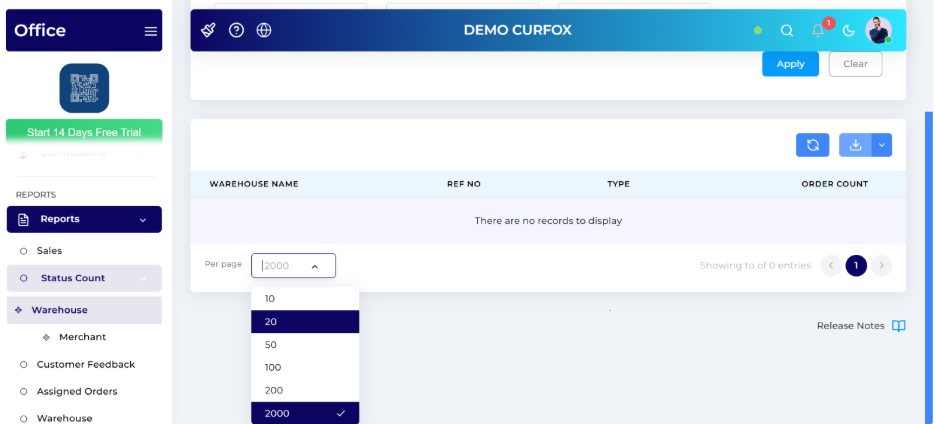
This was an urgent update applied to address a data coverage limitation.
Previously, Status Count Reports were limited to displaying a maximum number of records. This hotfix increases that limit to 2,000 records, ensuring that high-volume operations are fully represented in reports.
• Status Count Reports now show up to 2,000 records — a significant increase from the previous limit.
• Businesses with large daily order volumes will now see complete, accurate report data without truncation.


